


MIXAP activities
MIXAP allows you to improve your existing lessons / media through five different activity models.

Augmented activity
Bring your teaching materials to life by displaying multimodal resources (texts, images, videos, audio, 3D models…) on any kind of support (poster, book, worksheet…)
Example: bring your history exercise sheet to life with additional details and educational videos.

Search and Find
Let students test their knowledge by themselves. MIXAP automatically validates correct answers and gives hints when time runs out or the wrong option is chosen.
Example: automatically validate the fact that students found the correct flash card in a package, or the right country on a map.

Pair Association
Intuitively connect images, ideas, or answers. Ideal for creating drag-and-drop or matching-pair activities.
Example: help students connect fractions, represented as portions to their representation as decimal numbers.
Information layers
Gradually reveal different levels of content to allow students to explore topics in greater depth.
Example: help students explore the layers of bones, muscular tissue and the blood system of a human body.
Ask the AI
Design an activity where students can interact directly with the AI by asking questions related to the resource. By placing their finger on a specific area, they guide the AI to focus on what sparks their curiosity.
Example: let students explore a map of the world and ask the AI questions in relation to the subject you are working on, such as capitals or population.
Coming soon!
More activity types are coming up…
You can use and combine these activities into Learning Paths. There are 3 types available, depending on how you wish to structure the lesson.
Free Exploration Path

Group several activities that students can complete in the order of their choice, at their own pace.
Example: use a Free exploration Path to group activities related to plants that can be done in any order.
Auto-Triggered path

Create a sequence of activities that launch automatically when students position their device over the corresponding image markers. Perfect for creating a digital gallery.
Example: use an Auto-triggered Path to group activities that can be done on different parts of a fresco.
Guided Path
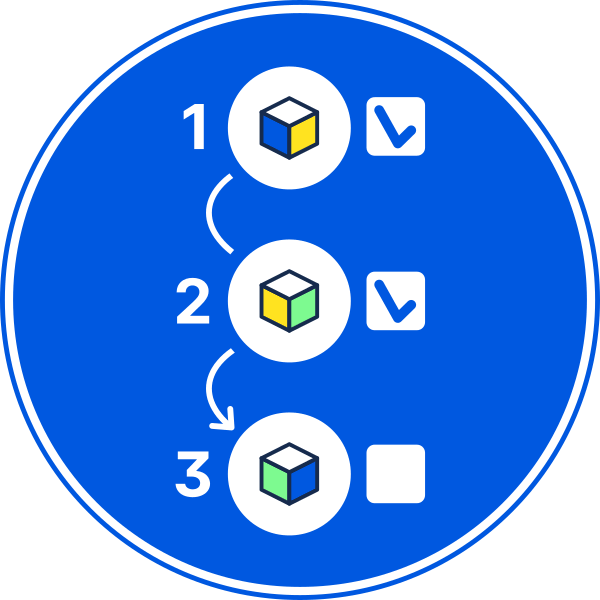
Structure a series of activities to follow a specific order. Perfect for step-by-step tutorials, escape games or unfolding a learning narrative.
Example: use a Guided Path to setup activities in a tutorial explaining how to use a machine.
You can find example activities on our Educational Resources page.